
Objects and QR · Concept
What an object's QR code opens
A QR code can lead to a public object page, directly to a report form or to a choice. The operating organisation sets the entry route for each code.
Last reviewed:
On this page
Goal
Understand why scanning an object can show different entry points and how to make a report connected to that object.
Before you start
- The QR code is attached to the object and active.
- Your device can open the code with a camera or QR reader.
Steps
Scan the code
Open the QR code on the item or installation. Its link opens in the browser; the public view needs no separate app.
Recognise the entry route
Depending on its setup, the code shows object information, the report form directly or a choice. A public object page can show a description, the responsible department and approved images.
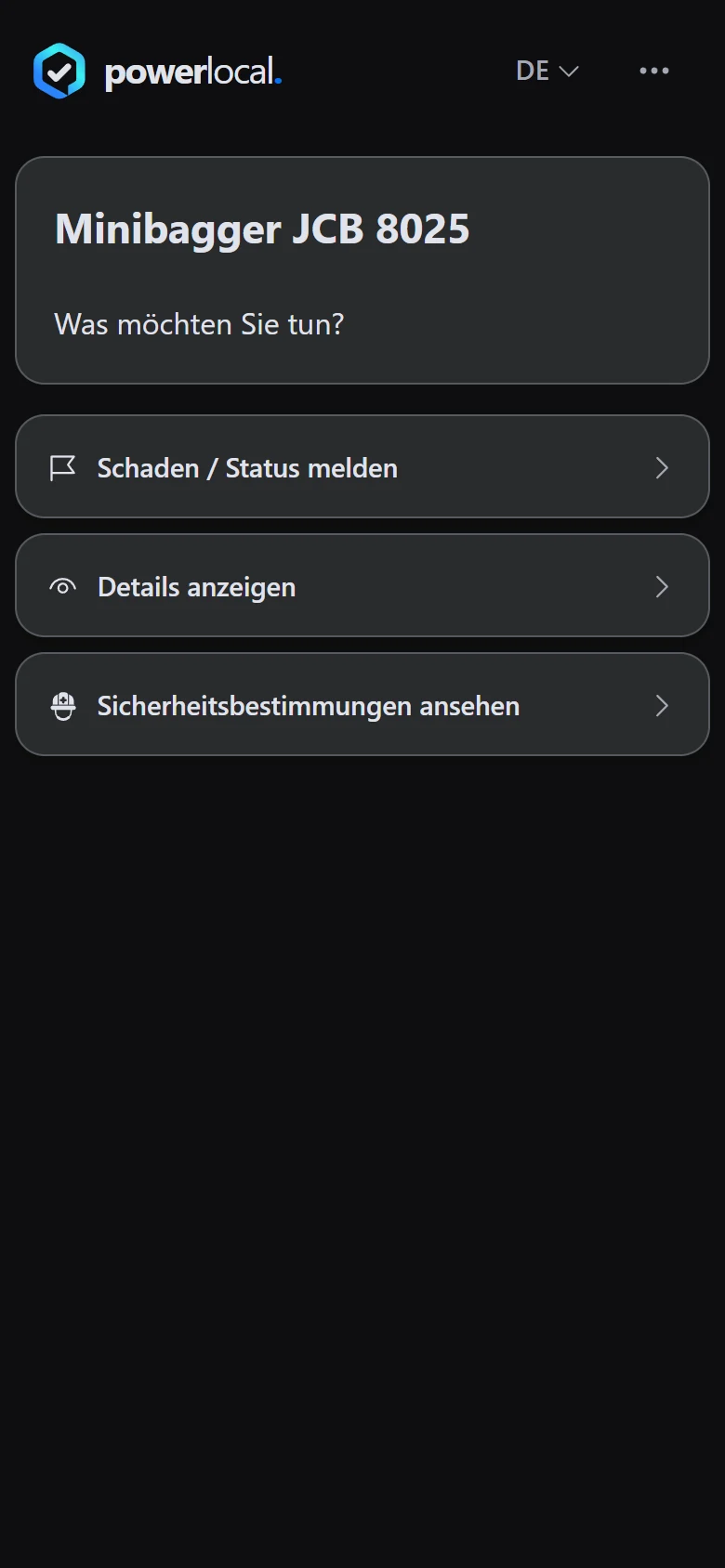
Example view with test data: the public QR choice shows the rows «Schaden / Status melden» (report damage or status), «Details anzeigen» (object details) and «Sicherheitsbestimmungen ansehen» (view safety rules). The entry route and appearance can differ by organisation.
Open image at full sizeOpen reporting if needed
On the object page, tap «Melden» (report) at the bottom left to open the reporting route; «Anmelden» (sign in) is for staff. The object link and stored location help the team assign your report to the right place.
Example view with test data: the public object page shows a description, photo and the «Melden» (report) and «Anmelden» (sign in) buttons at the bottom. «Melden» opens the reporting route; «Anmelden» is reserved for staff.
Open image at full size

Check the result
You reach the public entry route configured for that object. An updated object description can appear under the same active QR code.
If something goes wrong
- The code opens a report form instead of an object page.
- This is one possible setup for the code. Use the form if you want to report a problem.
- The object information appears out of date.
- Tell the operating organisation what differs. It maintains the public description.
Common questions
Do I need an app?
The public view opens in the browser. No separate app is needed.
Why do I see a different page from someone else?
The organisation can choose and later change the entry route for each QR code.