
Reports · Guide
Delete a report just submitted
Immediately after submission, the confirmation dialog offers a deletion route for that report. Confirm it only if you want the report removed.
Last reviewed:
On this page
Goal
Remove a report sent by mistake through the deletion route in its confirmation dialog.
Before you start
- The report was just submitted and its confirmation dialog is still open.
Steps
Check the confirmation
Check the displayed «Report code» and summary so you act on the correct report.
Open the deletion route
Use the deletion link in the confirmation dialog. Read the question before proceeding.
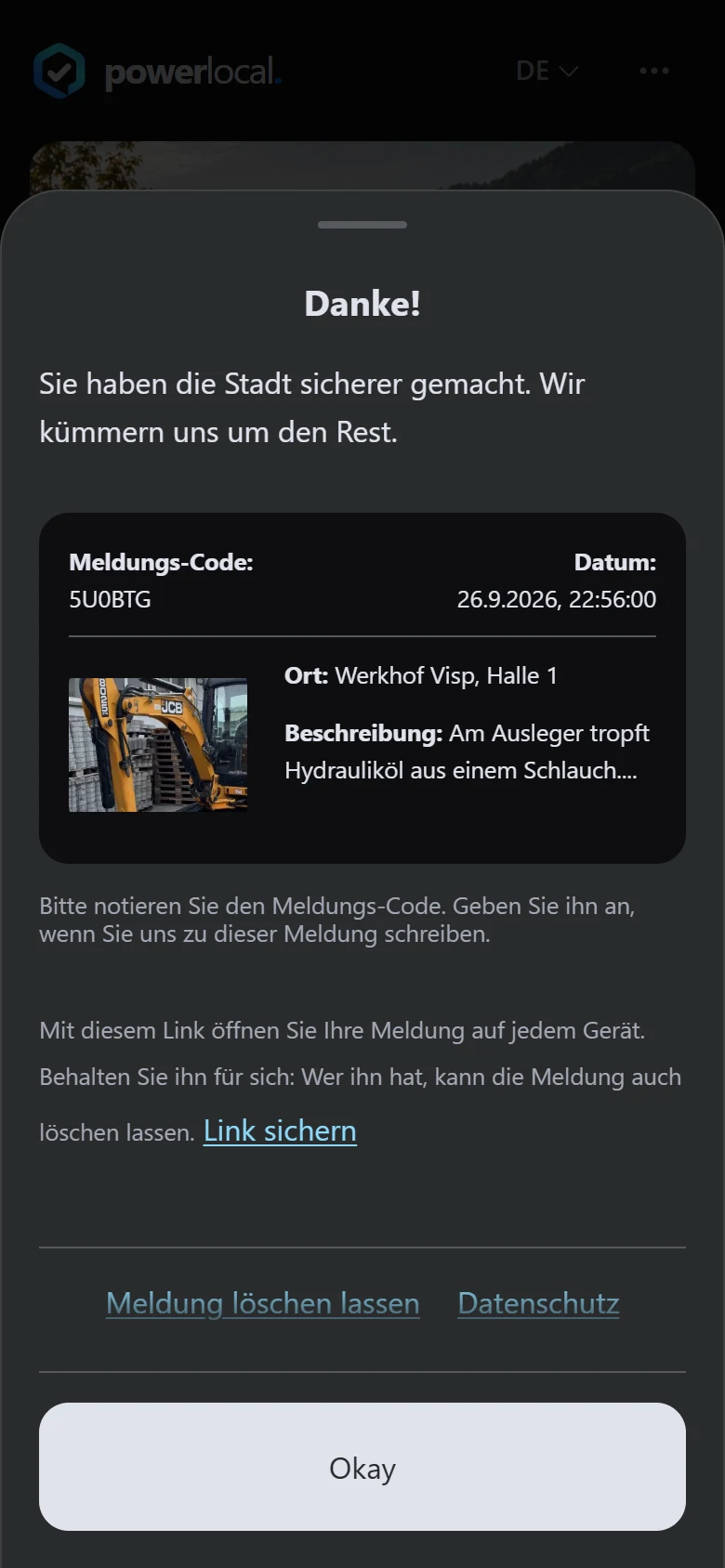
Example view with test data: under the confirmation's report code (shown as «Meldungs-Code»), the keep-link hint and the «Link sichern» (save link) button appear, followed by the «Meldung löschen lassen» (request deletion) link. The title and appearance can differ by organisation.
Open image at full sizeConfirm deletion
Confirm only if the report should be removed. Wait for the confirmation in the dialog.
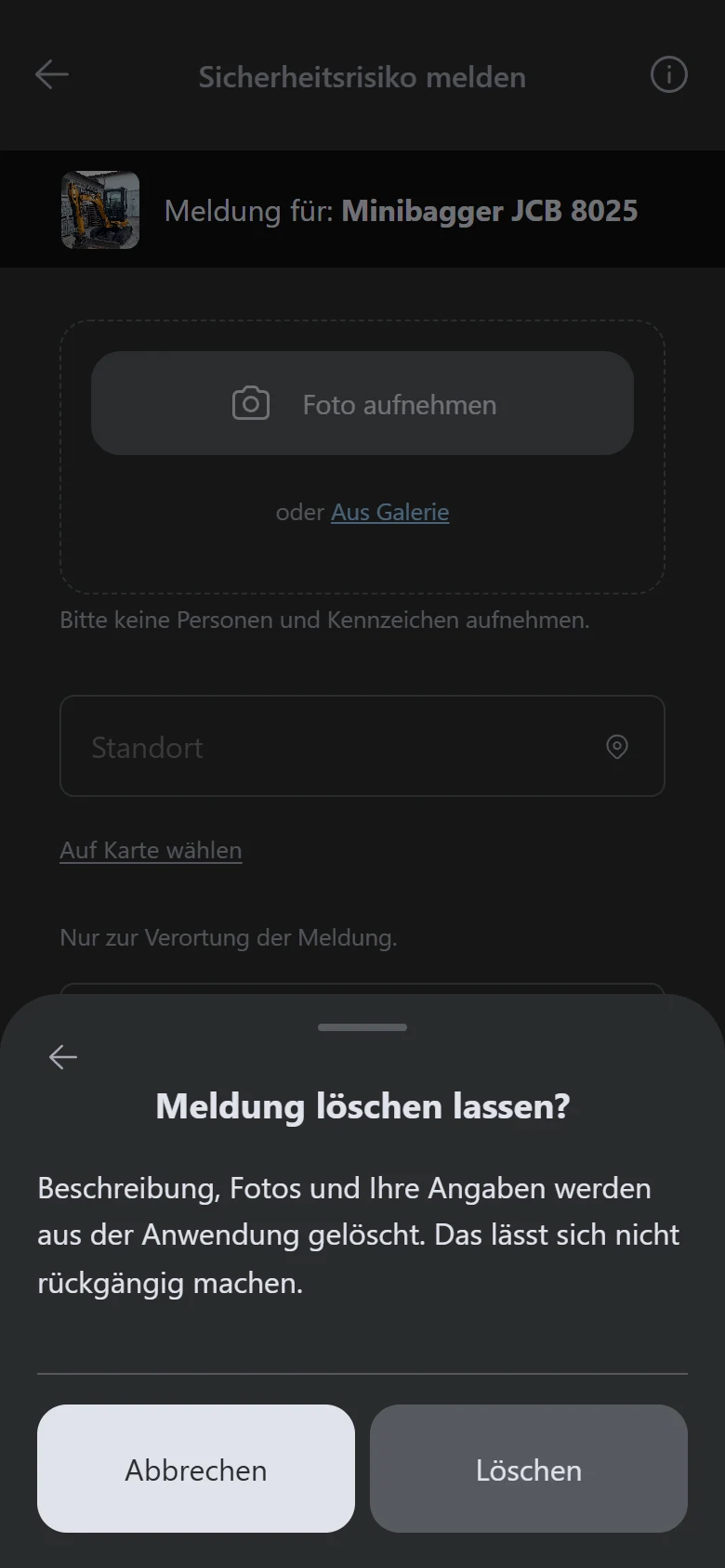
Example view with test data: the «Meldung löschen lassen?» (request deletion?) dialog removes the description, photos and details once «Löschen» (delete) is confirmed; «Abbrechen» (cancel) stops the action.
Open image at full size
Check the result
After successful deletion, the dialog confirms it and removes the receipt from this browser's local list.
If something goes wrong
- Deletion reports an error.
- Try again while the dialog remains open. If the error persists, contact the operating organisation with the «Report code».
- The confirmation dialog has already been closed.
- Open the link you saved when submitting or the link from a status email: the report page it opens also offers a deletion option. Without one of these links, contact the operating organisation with the «Report code».
Common questions
Does the local receipt disappear?
After successful deletion, the browser removes the item from its local report list.
Can someone else delete my report with only its «Report code»?
The direct deletion route also uses an identifier held by the device that sent it, or the signed link you saved or received by status email. Keep that link to yourself for this reason.