
Reports · Troubleshooting
Find the status of your own report
The reporting page shows recently submitted reports in the same browser while its local site data remains available. It refreshes their status when the page opens and then regularly. The link you saved when submitting, or the link from a status email, also restores the report on another device.
Last reviewed:
On this page
Goal
Check the current progress of a report that you submitted with this browser.
Before you start
- You submitted the report through this organisation's reporting page.
- If possible, you are using the same device, browser and browser profile.
Steps
Open the reporting page again
Visit the organisation's reporting page in the browser you used to send the report. If you arrived through a QR code, open the same platform's start page in the same browser instead, with its «Your Recent Reports» section, without the QR-specific part of the address.
Review recent reports
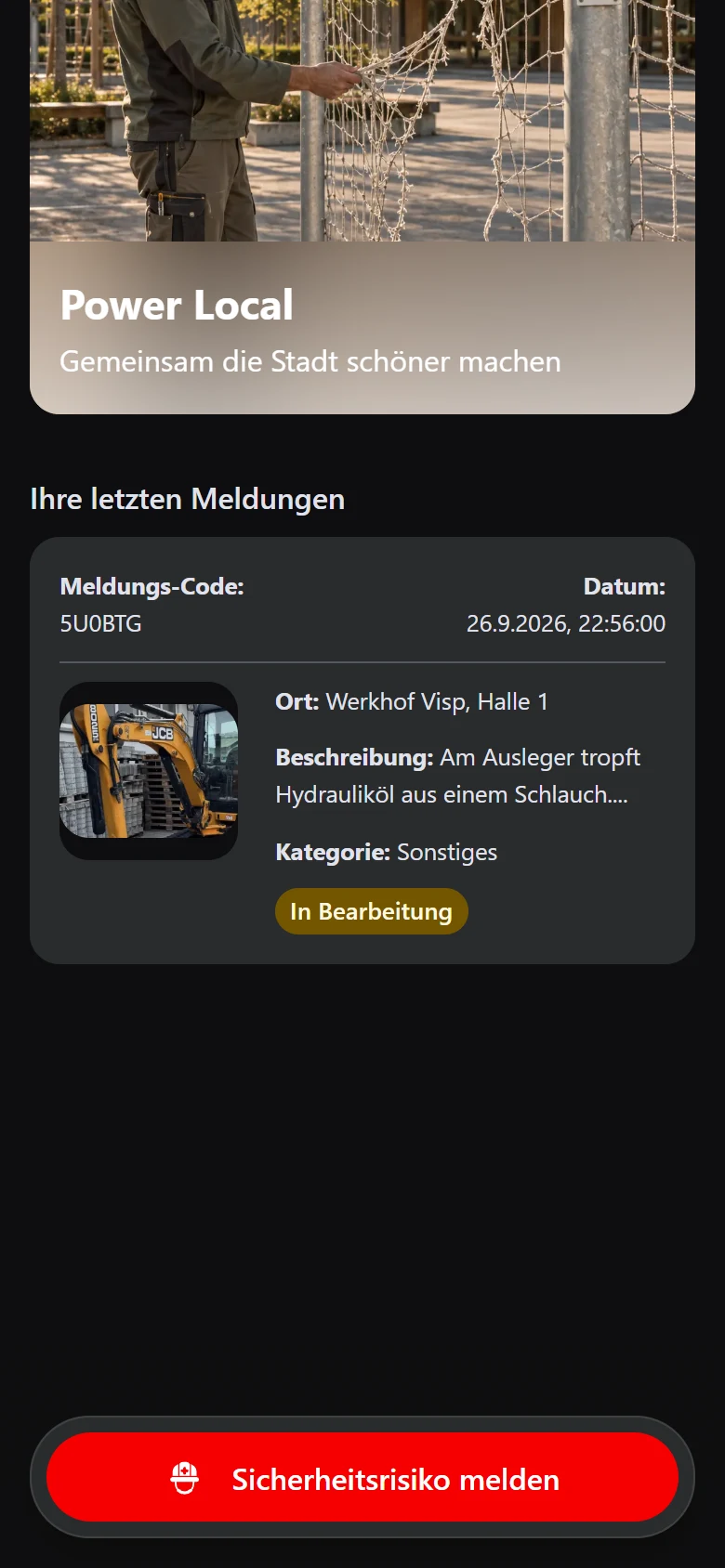
Find your recently submitted reports on the page. The list shows the «Report code», location, a short description and the saved status.
Example view with test data: under «Ihre letzten Meldungen» (your recent reports), a test report shows the status «In Bearbeitung» (in progress). The entry depends on this browser's local site data. The title and appearance can differ by organisation.
Open image at full sizeAllow the status to refresh
When connected, the page asks for the current status on opening and approximately every five minutes while it remains open.
Check the result
If the local receipt is still present, the list shows the report and its most recently fetched status. The «Report code» alone does not restore the local entry in another browser; the saved link or the link from a status email does.
If something goes wrong
- The report is missing on another device or in another browser.
- Open the link you saved when submitting or the link from a status email; it shows the report on any device and adds it back to that device's list. Without one of these links, open the page in the original browser profile, since the list is otherwise stored locally and does not automatically move between devices.
- The report is missing in the original browser or the status looks old.
- Check whether site data was cleared or private browsing was used. Check the connection and reload the page. If the entry is still missing, contact the operating organisation with the «Report code».