
Objects and QR · Troubleshooting
When an object's QR code does not work
An unknown or inactive object code can open an error page. That page offers the general reporting route. If scanning itself fails, use your organisation's known link or report the damaged code.
Last reviewed:
On this page
Goal
Report a problem even when an object's QR code does not lead to the intended entry point.
Before you start
- You are at the affected object or know its location.
Steps
Check the code and connection
Try scanning again in good light. Check that your device has a connection and that the code is not damaged or covered.
Understand an error page
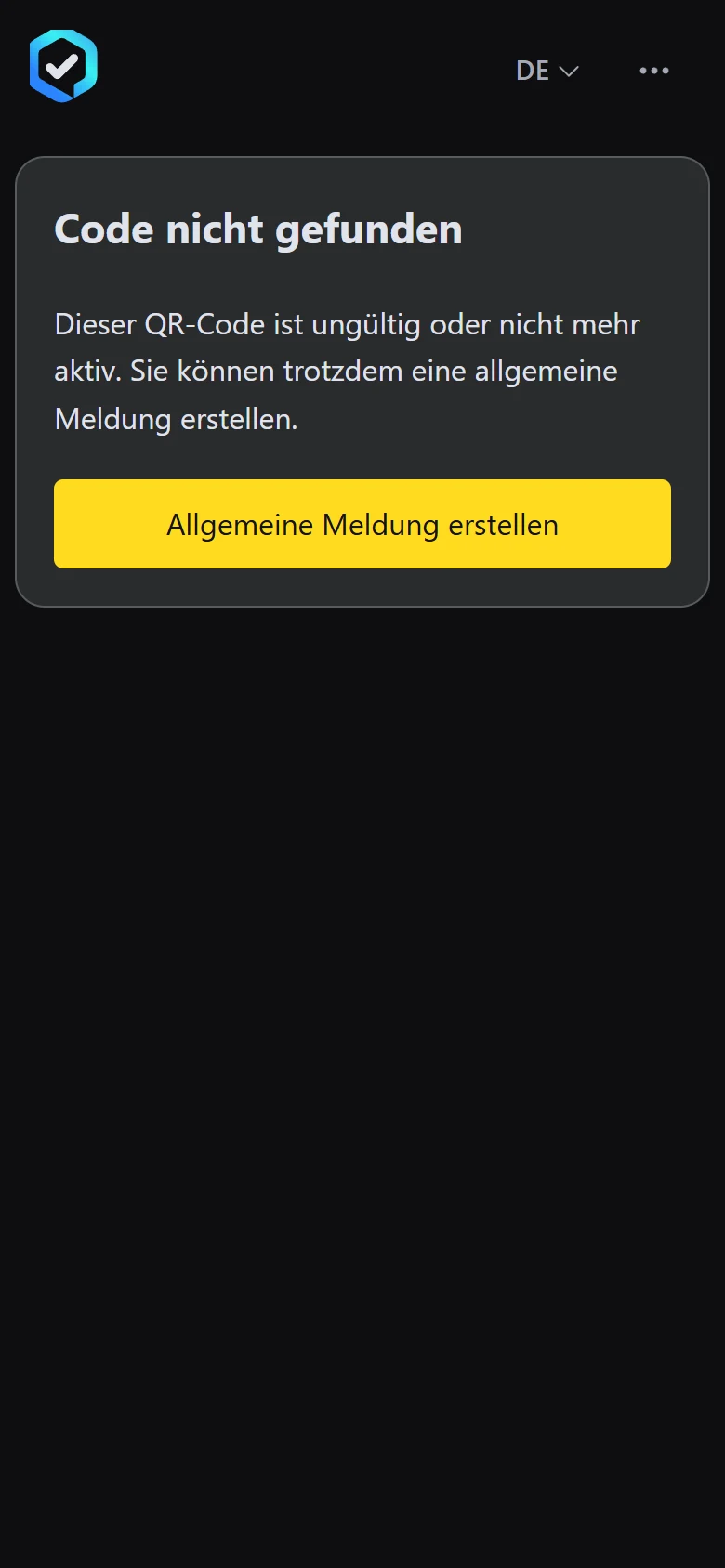
If the platform says the code is invalid, use the offered general reporting route. The object link is not added automatically on that route.
Example view with test data: the «Code nicht gefunden» (code not found) error page explains the invalid code and offers the «Allgemeine Meldung erstellen» (create a general report) button. The title and appearance can differ by organisation.
Open image at full sizeGive the location yourself
Describe the object and choose its location in the form. Tell the operating organisation which QR code failed.
Check the result
Your report can still reach the responsible team without a working object code.
If something goes wrong
- The camera does not recognise the code.
- Check the light and distance. If the label is damaged, use your organisation's known reporting route.
- A link leads to an unfamiliar website.
- Do not enter details there. Check the link through a known contact at the operating organisation.
Common questions
Can I report despite an invalid code?
Yes. The error page for an unknown or inactive object code offers the general reporting route.
Is the object linked automatically?
No. On the general route, describe the object and location yourself.